How to Track Invoices and Payments: A Free System That Beats Spreadsheets
How to track invoices and payments without losing money: the statuses that matter, spreadsheet vs dashboard, and a free tracking system with overdue alerts.
What Untracked Invoices Actually Cost
Every freelancer believes they'd notice an unpaid invoice. The data says otherwise: businesses that audit their receivables for the first time almost always find something — an invoice that was never sent, one sent to a dead email address, one the client short-paid without anyone catching it, one quietly aging past ninety days while everyone's attention was on new work. Small businesses write off a meaningful slice of revenue every year not to disputes, but to drift — money that was earned, invoiced, and then simply lost track of.
The mechanism is mundane. You send an invoice and mentally file it as income. The client doesn't pay on time — and nothing happens, because no system exists to make anything happen. Three weeks later you're deep in another project; the follow-up that would have taken one email at day 3 now requires archaeology: which invoice, what amount, did they ever reply? Multiply by a dozen active clients and the question "who owes me money right now?" — the most basic question in business — takes an afternoon to answer.
Tracking fixes this not by making you more diligent, but by making the answer permanent and visible. Here's how to build that visibility for free.
The Five Statuses That Matter (And the Two That Make You Money)
Invoice tracking is fundamentally a status machine. Five states cover nearly every business:
- Draft — created, not yet sent. A draft older than 48 hours is a warning sign in itself: unsent invoices are the most expensive kind of procrastination.
- Sent — delivered, inside its payment window. Healthy; needs no action.
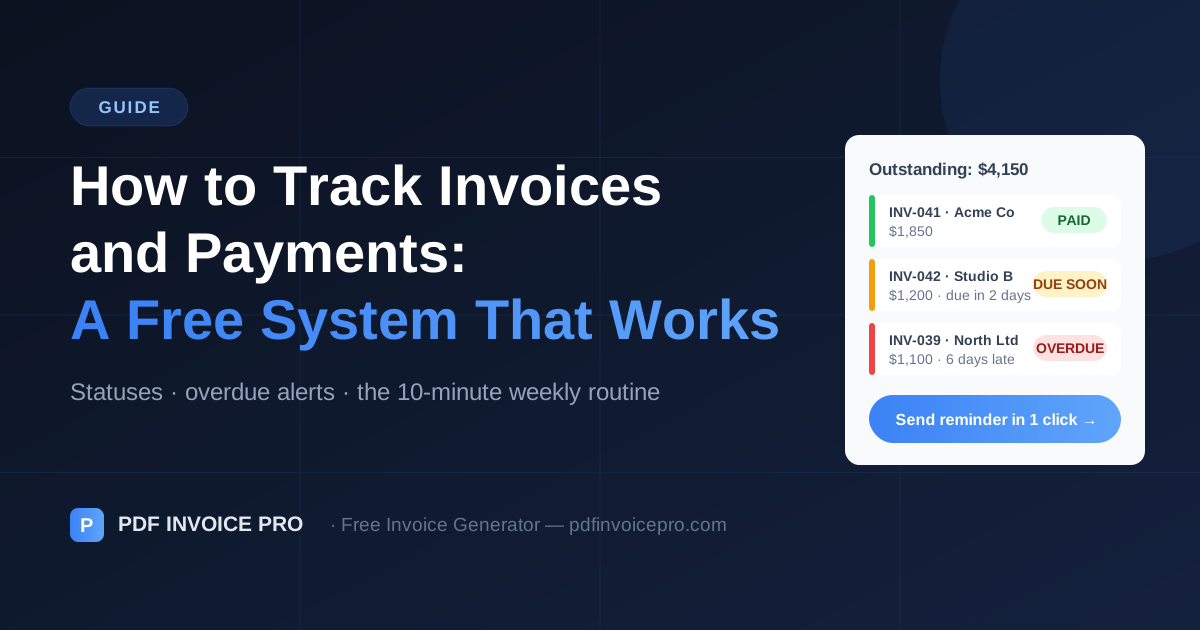
- Due Soon — within 2–3 days of the due date. This is where the pre-due courtesy reminder lives, the single cheapest intervention in collections.
- Overdue — past due, unpaid. Every day in this state without action reduces the odds of full payment.
- Paid — closed, with the payment date recorded (you'll want it at tax time).
The first two and the last are bookkeeping. Due Soon and Overdue are operational — they exist to trigger a specific email on a specific day (the exact messages are in our reminder templates). A tracking system earns its keep precisely by making these two states impossible to miss.
The Spreadsheet Method: Honest Pros and Cons
A tracking spreadsheet needs eight columns: invoice number, client, amount, currency, issue date, due date, status, paid date. Add conditional formatting — red when today exceeds the due date and status isn't Paid, amber within three days — and one SUM by status, and you have a functional receivables system for exactly zero dollars.
The strengths are real: total flexibility, no new tools, and the act of manual entry keeps you consciously connected to your numbers. For a freelancer with a handful of invoices a month and strong habits, a spreadsheet genuinely works.
The weakness is structural: a spreadsheet only speaks when spoken to. It doesn't know an invoice exists until you type it (double entry, since the invoice was created elsewhere), and it can't tap you on the shoulder when something goes red — you must open it, which is exactly the habit that erodes during busy months. The failure mode is always the same: the spreadsheet was accurate in March, aspirational by June.
The Dashboard Method: Tracking Where the Invoices Already Live
The alternative is letting the tool that creates your invoices track them — eliminating double entry and, more importantly, inverting the attention model: instead of you checking on invoices, invoice statuses come to you.
PDF Invoice Pro's dashboard (free, browser-based, data stored on your device) does the version of this we obviously think is right:
- Every saved invoice appears with its status and due date — the "who owes me money" question answered in one glance.
- The Urgency Radar continuously compares open invoices to their due dates: amber flag at 48 hours before due, red once overdue. No opening a file, no remembering — the flags are simply there when you open the dashboard.
- From a flagged invoice, a pre-written payment reminder fires via Gmail or WhatsApp in one click, pre-filled with the invoice number, amount, and due date.
- Mark Paid closes the loop and stamps the payment date, building the payment history you'll want at tax time and before extending large terms to any client.
All of this runs in your browser using local storage — client names, amounts, and payment histories never leave your device. Tracking your receivables doesn't require uploading your business's financial guts to anyone's server.
The 10-Minute Weekly Routine
Whatever system you choose, the routine is identical — pick a fixed slot (Friday morning and Monday morning are the popular ones) and run four checks:
1. Anything overdue? Send the appropriate-stage reminder today, not "soon." The sequence only works when the calendar drives it.
2. Anything due this week? Send the pre-due courtesy note for anything large or from a historically slow payer.
3. Any drafts or unbilled work? Finished work that hasn't been invoiced is a status zero that no tracker can see — sweep for it weekly, because every day of invoicing delay is roughly a day of payment delay.
4. What's the total outstanding? One number — your accounts receivable. Watch its trend: growing AR with flat income means payments are slowing; that's your early-warning system, and it connects directly to the bigger picture in our income tracking guide.
With automatic flags the routine compresses further — act on the amber and red, sweep for unbilled work, note the total. Most weeks it's genuinely ten minutes.
Per-Client Visibility: The Level Most Freelancers Skip
Invoice-level tracking answers "what's unpaid?" Client-level tracking answers better questions: Who are my slow payers? Who's worth extending Net 30 to? Which client is 40% of my outstanding balance right now?
This is where a CRM-style view earns its place. PDF Invoice Pro's client dashboard shows, per client, total billed, total paid, and total outstanding across their whole history — so before you agree to a fourth project with someone who still owes for two, the pattern is visible in advance rather than in hindsight. Payment behavior is the most honest thing you know about a client; per-client tracking is simply writing it down.
It also quietly improves pricing and terms decisions: the client who has paid twelve invoices in an average of four days has earned flexibility; the one averaging thirty-one days gets Due on Receipt and a deposit. Data replaces awkward intuition.
Set It Up Today (20 Minutes, Once)
The whole system, in one sitting: choose your tracker (spreadsheet with the eight columns and conditional formatting, or the free generator's built-in dashboard). Enter or save every currently open invoice. Send anything overdue its stage-appropriate reminder right now — this step usually pays for the whole exercise. Put the weekly review in your calendar as a recurring event. Done.
From tomorrow, invoice tracking stops being a memory task and becomes a two-color glance: nothing amber or red means get back to work; something amber or red means one click and one email. That's the entire discipline — and it's the difference between revenue you earned and revenue you actually collected.
Sources & Further Reading
Alex Carter is a freelance finance writer specialising in invoicing, cash flow management, and small business operations. He has written for independent contractors and agencies across the US, UK, and Australia.
Ready to create professional invoices?
Free, private, no account needed. Create your first invoice in 60 seconds.
Create Free Invoice